XTOOL AKL Alarm Bypass Cable All Key Lost Professional Key Programmer Adapter For Ford/For LINCOLN Work With X100 PAD3
AKL Bypass Cable / Russian Federation
$130.89
Skip to product information


XTOOL AKL Alarm Bypass Cable All Key Lost Professional Key Programmer Adapter For Ford/For LINCOLN Work With X100 PAD3
$130.89
SPECIFICATIONS
Brand Name: XTOOL
Certification: CE
Electronic: No
External Testing Certification: ce
High-concerned chemical: None
Is Batteries Included: No
Item Type: Other
Item Weight: 0.5
Material: plastic
Model Name: AKL Alarm Bypass Cable For Ford
Origin: Mainland China
Use: Not Telecommunication
WHY CHOOSE OUR STORE !
🎁Vehicle Diag Store Focus on Providing Products for Diagnosing Vehicles!
🎁 OUR STORE Offers 100% Original XTOOL Brand Products !(with serial number checking)
🎁 Shipping Within 24 Hours From Local US & PL & ES & FR / Russia Warehouse !Seller Afford the Tax
🎁 Provide Free and Professional Technical Support Lifetime !Remote support 24 hours online
🎁 365 DAYS Free Replacement+5 Yyears Warranty!
🎁 Choose The Item Link You Need Add To Cart + Collection Then Contact With The Seller To Get VIP Price!

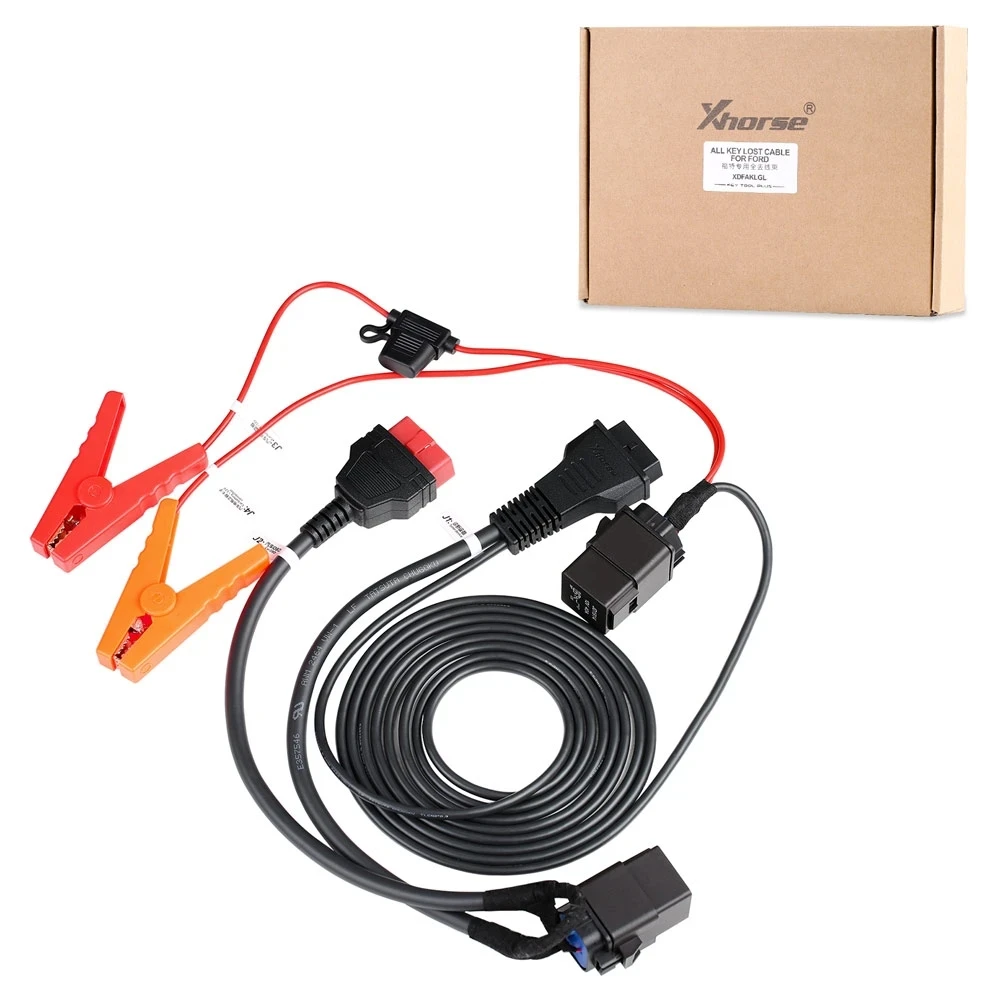
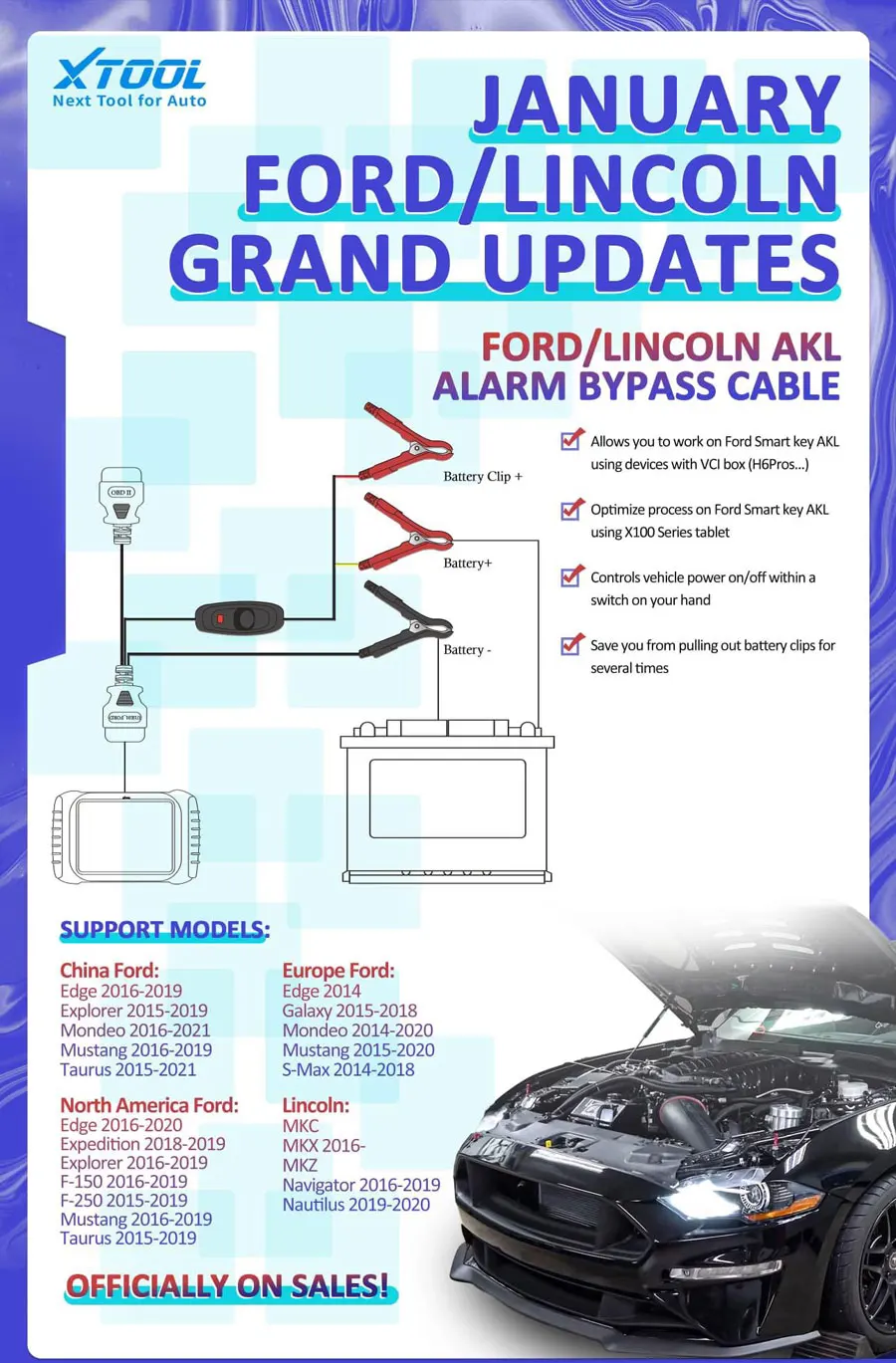 Xtool 2015+ Ford Proximity All Key Lost Alarm Bypass Cable
AKL Alarm Bypass Cable for Ford Functions:
> Allows you to perform Ford smart key all keys lost via Xtool devices with a VCI Box (H6 Pro, A80 Pro, X100 MAX etc)
> Optimize the process on Ford smart key all keys lost via Xtool devices without a VCI box (X100 PAD2, X100 PAD3, H6 Elite, D7/D8 etc)
> Controls vehicle power on/off within a switch on your hand
> Save you from pulling out battery clips for several times
How to Connect:
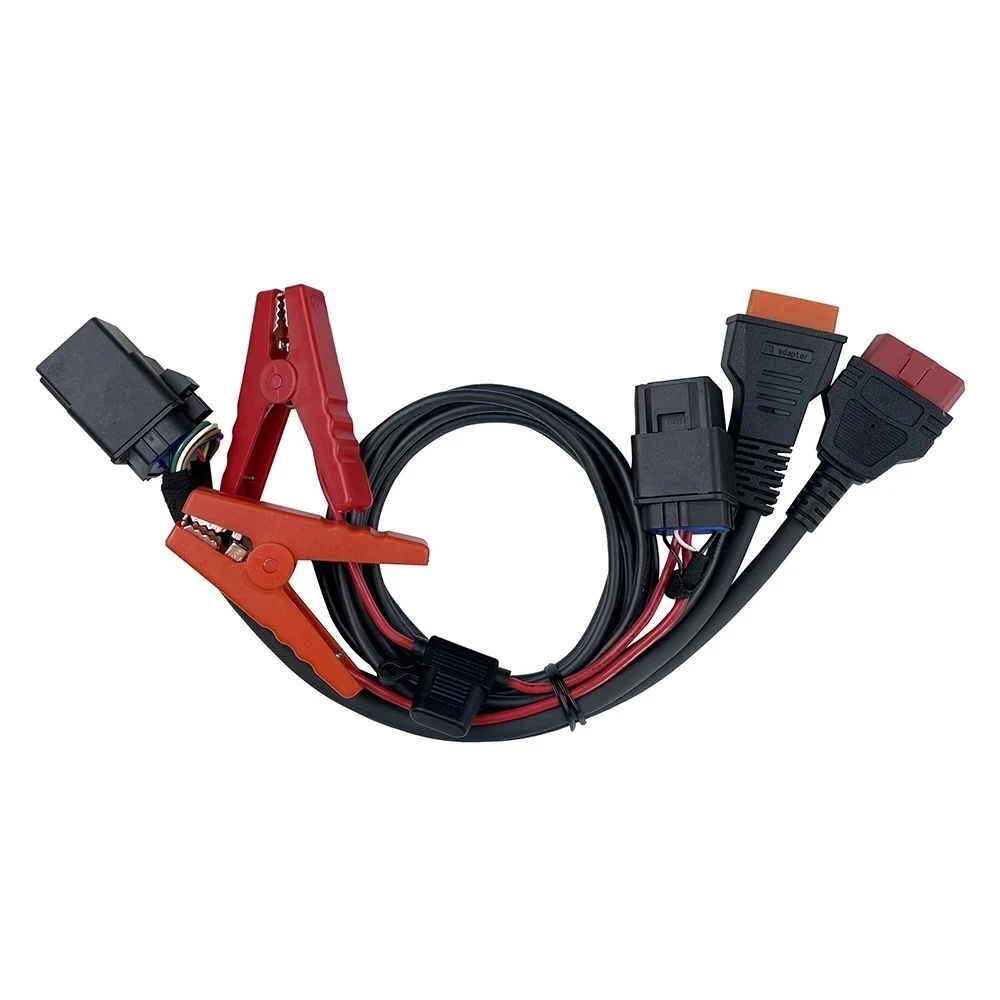
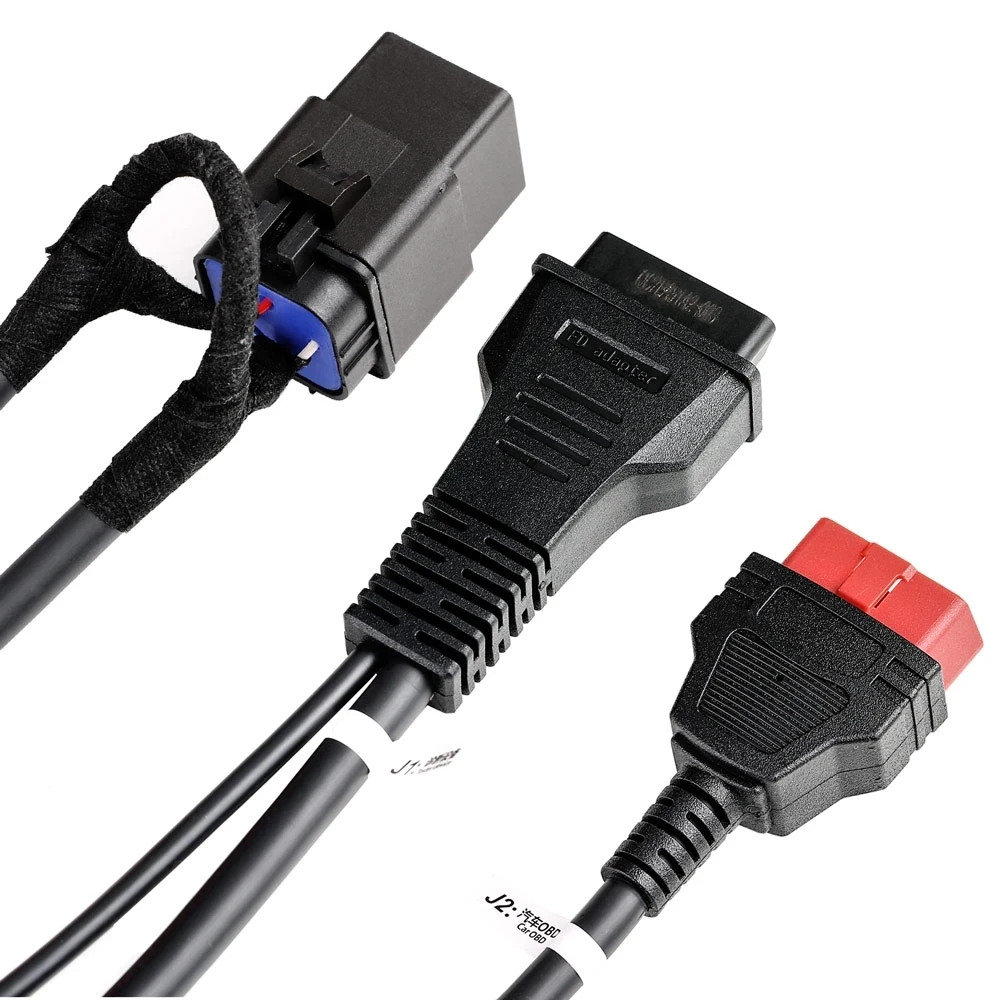
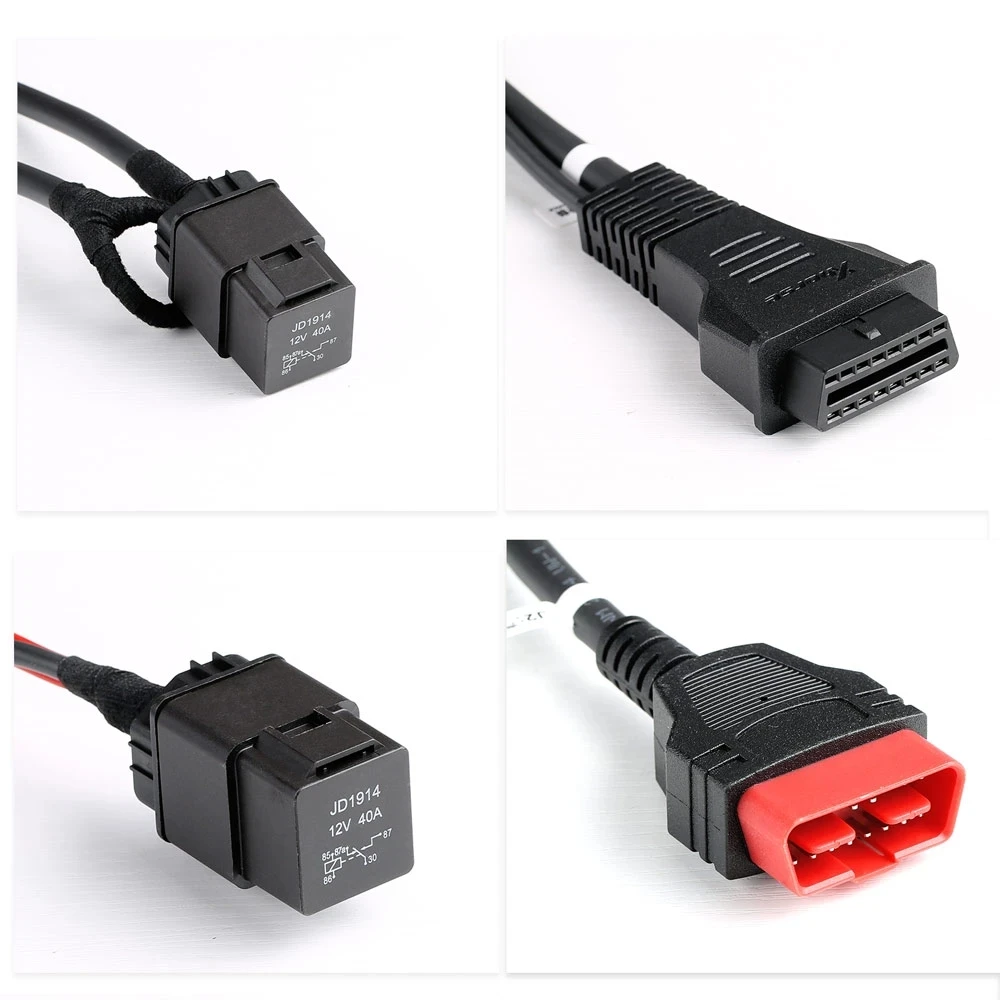
1. Connect the main cable to the female obd2 socket of the Ford cable, and connect the tablet or VCI box to the other side of the main cable.
2. Connect the male OBD2 socket of the Ford cable to the OBD port of the vehicle
3. Take the battery clip off from the car’s battery and connect the 2 battery clips to the battery
4. There is also a battery clip (read cable with ‘Battery Clip+’ tag on it) on the cable. Connect it to the positive battery clip on the car.
SUPPORT MODELS:
China Ford:
Edge 2016-2019
Explorer 2015-2019
Mondeo 2016-2021
Mustang 2016-2019
Taurus 2015-2021
North America Ford:
Edge 2016-2020
Expedition 2018-2019
Explorer 2016-2019
F-150 2016-2019
F-250 2015-2019
Mustang 2016-2019
Taurus 2015-2019
Europe Ford:
Edge 2014
Galaxy 2015-2018
Mondeo 2014-2020
Mustang 2015-2020
S-Max 2014-2018
Lincoln:
MKC
MKX2016-
MKZ
Navigator 2016-2019
Nautilus 2019-2020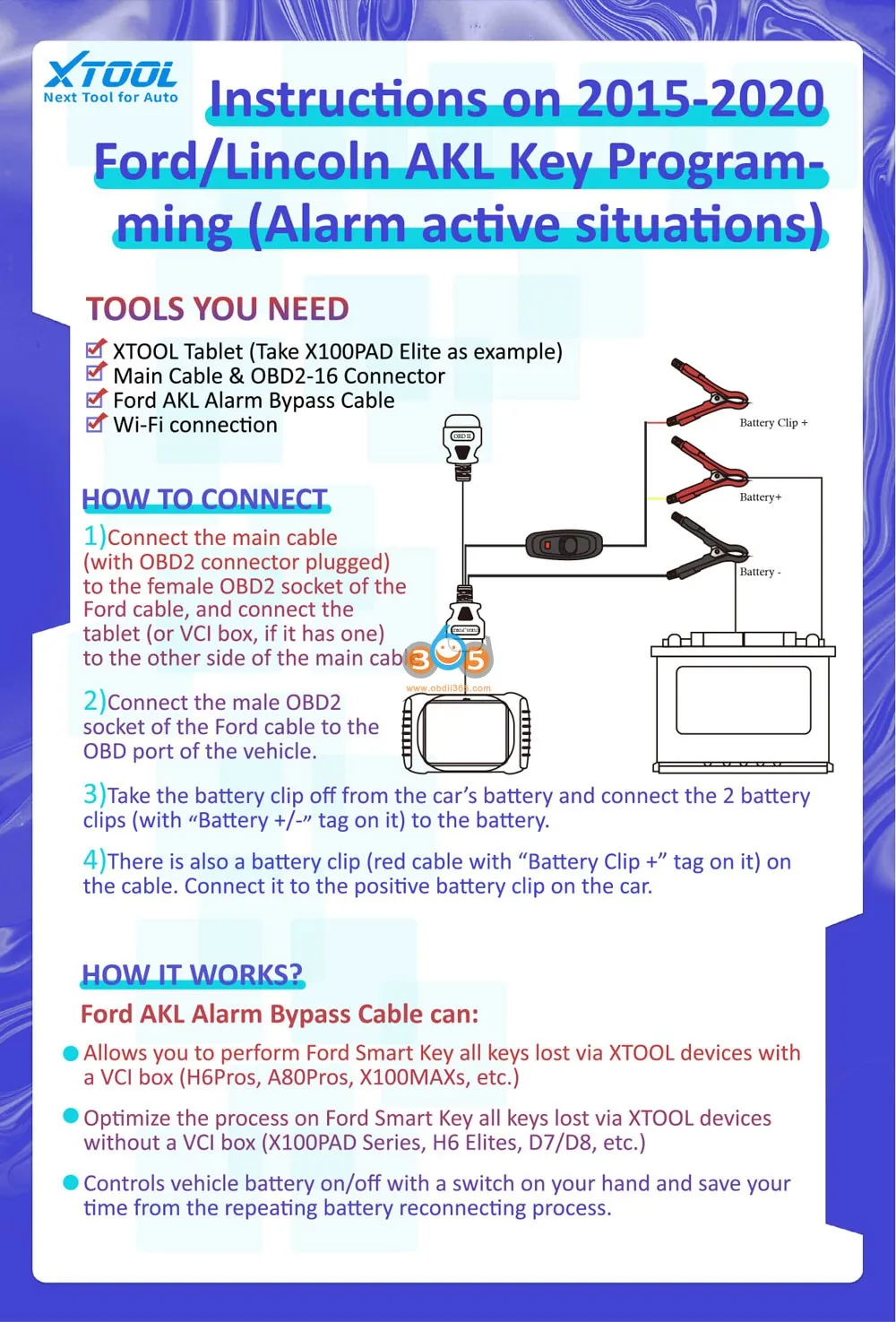 AKL Bypass Cable For Ford Compatiable With XTOOL Device:
X100 PRO2, X100 PRO3, X100 PAD, X100 PAD PLUS, X100 PAD3, X100 PAD3 SE, IK618, PS701 PRO, EZ400 POR, D7, D8, D8BT, D9, D9PRO, IP616, IP819, IP819TP, A80, A80 PRO, A80 PRO MASTER
How to Connect:
1. Connect the main cable to the female obd2 socket of the Ford cable, and connect the tablet or VCI box to the other side of the main cable.
2. Connect the male OBD2 socket of the Ford cable to the OBD port of the vehicle
3. Take the battery clip off from the car’s battery and connect the 2 battery clips to the battery
4. There is also a battery clip (read cable with ‘Battery Clip+’ tag on it) on the cable. Connect it to the positive battery clip on the car.
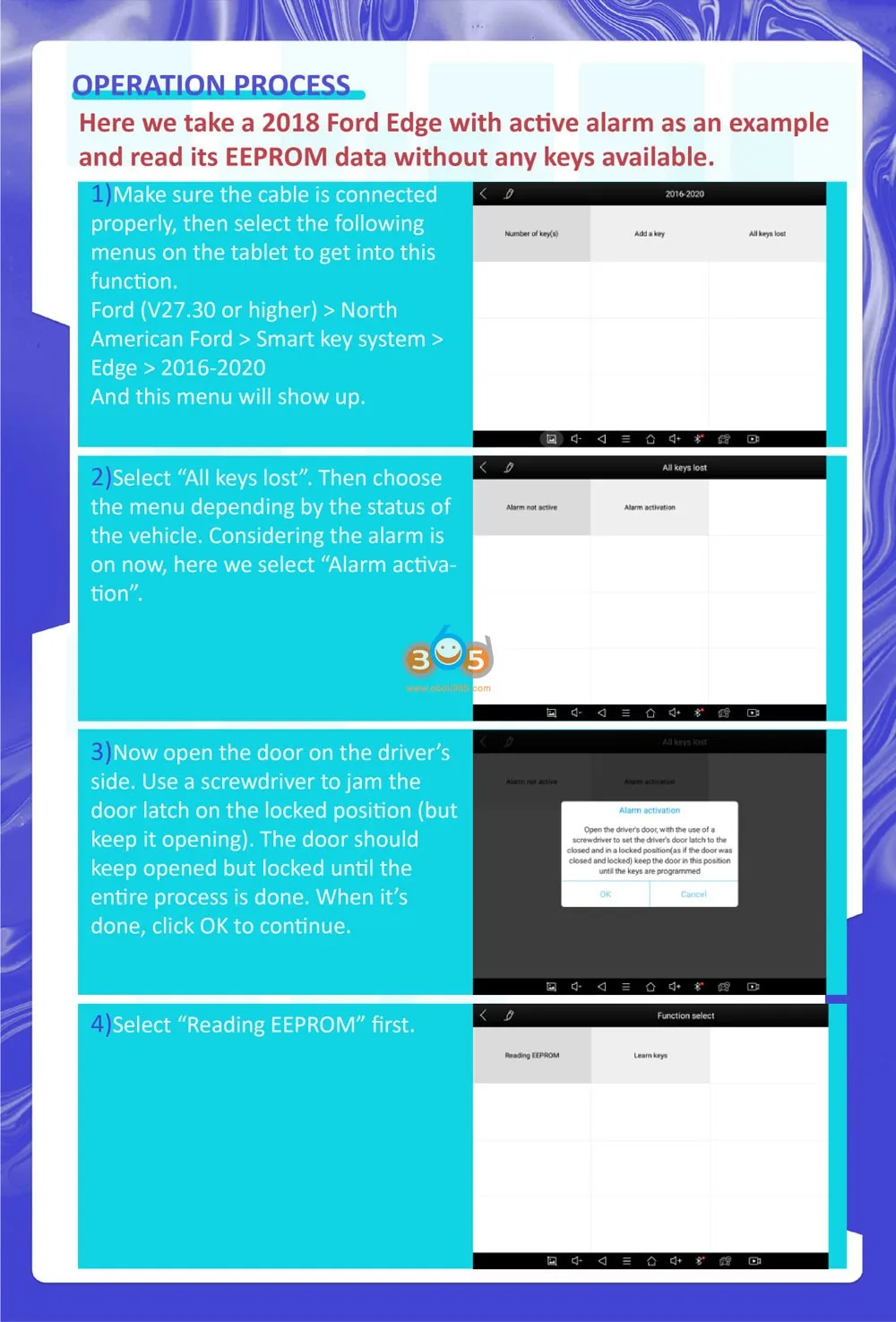
Programming Process:
Take a 2018 Ford Edge with an active alarm as an example and read its EEPROM data without any keys available
1. Make sure the cable is connected properly, the select
Ford V27.30 or higher- North American Ford- Smart key system- Edge- 2016-2020
2. Select All keys lost. Choose the menu depending by the status of the vehicle. Considering the alarm is on now, here we select ‘Alarm activation’
3. Open the door on the driver’s side. Use a screwdriver to jam the door latch on the locked position but keep it opening.
The door should keep open but locked until the entire process is done. When it is done, click OK to continue,
4. Select Reading EEPROM first
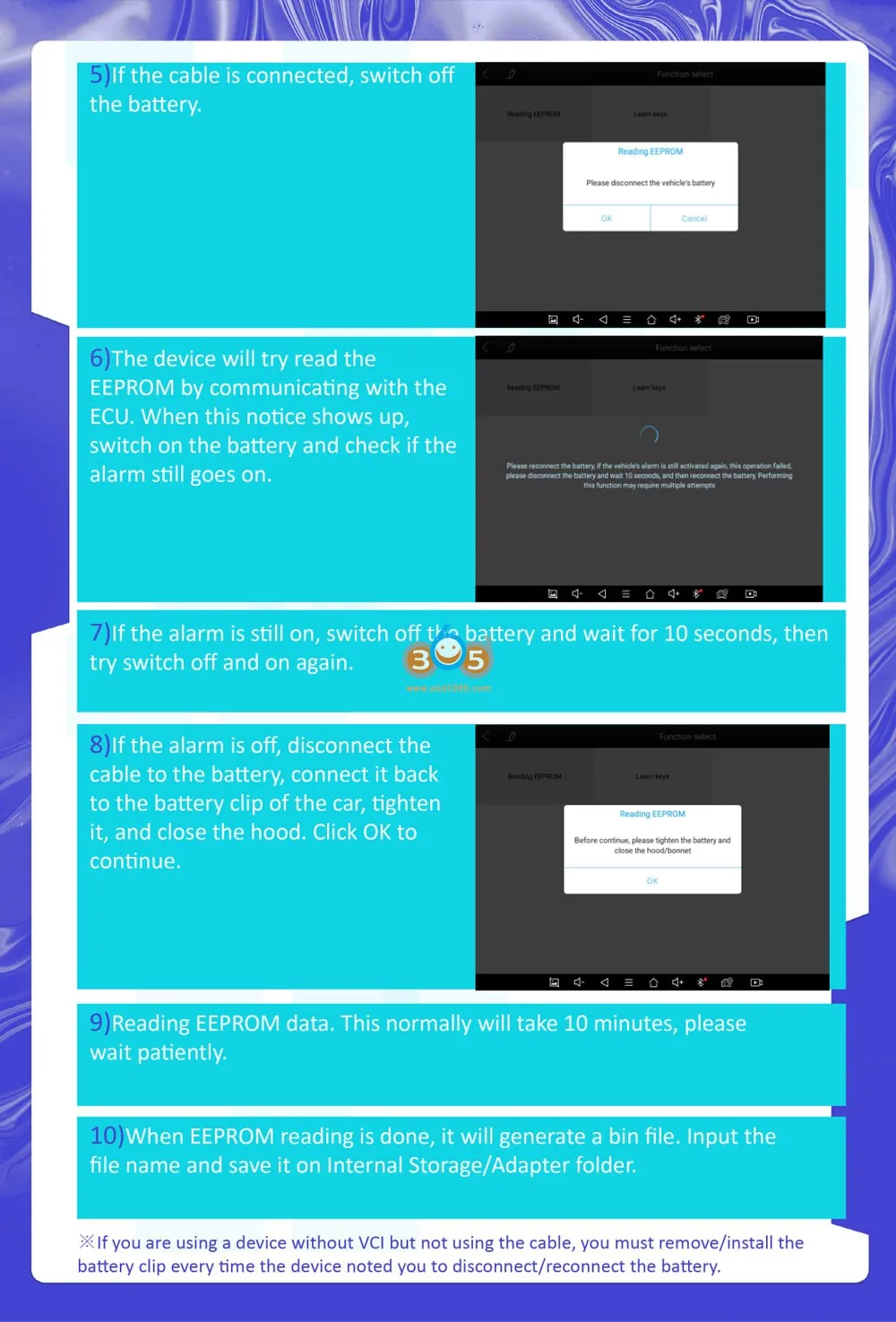
5. If the cable is connected, switch off the battery
6. The device will try read the EEPROM by communicating with the ECYU.
Switch on the battery and check if the alarm still goes on.
7. If the alarm still goes on, switch off the battery and wait for 10 seconds, then try switch off and on again
8. If the alarm is off, disconnect the cable to the battery, connect it back to battery clip of the car, tighten it, and close the hood, click OK to continue.
9. Reading EEPROM data. The process will take 10 minutes
10. WHen EEPROM reading is done. it will generate a bin file, Save file on Internal Storage folder.
*If you are using a device without VCI but not using the cable, you must remove/install the battery clip every time the device noted you to disconnect/reconnect to the battery.